

 13 min read
Quick Verdict
The best CRM for small business is the one that matches your actual sales motion. If you need a free, friendly first system, start with HubSpot CRM. If your team lives by deals and next steps, Pipedrive is the cleaner sales-pipeline pick. If you want more customization per dollar and do not mind a deeper settings menu, Zoho CRM is the value pick. If you want the simplest contact manager with predictable pricing, Less Annoying CRM earns its name. Choose GoHighLevel when your CRM also needs lead capture, booking, SMS/email follow-up, funnels, reviews, and client or location sub-accounts in one platform.
That last distinction matters. GoHighLevel can be excellent for service businesses, local marketers, appointment-led teams, and agencies, but it is usually more platform than a tiny business needs if the job is only tracking contacts and deals. Buying the all-in-one suite before you have a repeatable follow-up process is like buying a control room before you have a front desk.
Small Business CRM Shortlist
Use this as the first-pass filter before comparing demos or trials.
| CRM | Best fit | Pricing cue | Watch-out |
|---|---|---|---|
| HubSpot CRM | First CRM, free contact and deal organization, small teams that may later add marketing or service tools | Free CRM with paid upgrades | Paid hubs can become expensive once automation, seats, or advanced reporting matter |
| Pipedrive | Sales-led small businesses that need clear pipelines, activities, reminders, and forecasts | Per-seat paid plans; pricing is localized | Lead generation, projects, campaigns, and higher limits can require add-ons or higher tiers |
| Zoho CRM | Small businesses that want customization, automation, and a broad app ecosystem at a budget-conscious price | Free edition for up to 3 users, paid editions by region | More settings mean more setup discipline |
| Less Annoying CRM | Solo owners and small teams that want simple contact, task, and pipeline management | $15/user/month public pricing | Not built for advanced marketing automation or complex multi-team operations |
| GoHighLevel | Service businesses and agencies that want CRM plus funnels, calendars, SMS/email, reputation, payments, and sub-accounts | Starter at $97/month; higher plans for unlimited sub-accounts and SaaS mode | Usage-based telecom, email, and AI charges can affect real cost |
Pricing and plan details were checked against official public pages on May 20, 2026. Always verify current regional pricing before buying.
How We Evaluated the Best CRM for Small Business
This guide was built around small-business operating reality, not a generic enterprise CRM checklist. The practical question is: will the CRM make follow-up easier next week, or will it create a second job called CRM administration?
- Setup speed: how quickly a non-technical owner can import contacts, define stages, and start working leads.
- Daily visibility: whether the dashboard makes the next action obvious without extra reporting work.
- Follow-up depth: task reminders, email sync, sequences, SMS, calendars, and missed-lead recovery.
- Cost shape: free tiers, per-seat pricing, required add-ons, usage-based charges, and upgrade cliffs.
- Growth path: whether the CRM can support multiple reps, locations, client accounts, or marketing operations later.
- Exit cost: how painful it would be to simplify, migrate, or clean up the system after a bad fit.
SERP research came from a live U.S. English DataForSEO check for best crm for small business. The page-one results were unusually mixed: Reddit and vendor pages ranked high, while article-style guides from Salesforce, Faye Digital, U.S. Chamber, and Forbes focused heavily on feature lists, free or low-cost options, and broad vendor roundups. The gap for ToolBlueprints is decision clarity: when should a small business choose a simple sales CRM, and when is an all-in-one platform such as GoHighLevel actually justified?
Disclosure: ToolBlueprints may earn a commission when readers buy through some links, but recommendations are based on fit, tradeoffs, and verified product information. Read the methodology and affiliate disclosure for more context.
1. HubSpot CRM: Best First CRM for Most Small Businesses
HubSpot CRM is the safest first stop for many small businesses because it removes the biggest adoption blocker: starting cost. HubSpot positions its CRM as free with no expiration date, and its public CRM page focuses on organizing customer data, contacts, deals, tasks, activities, and reporting in one place. That makes it useful when your current system is a spreadsheet, a shared inbox, or the owner remembering everything until Friday afternoon.
Choose HubSpot when you need an approachable CRM now and might later add marketing, sales, service, content, or commerce tools from the same ecosystem. It is especially useful for companies that want a polished interface, a broad app marketplace, and a low-risk way to teach a team basic CRM habits.
Do not choose HubSpot blindly if you already know you need heavy automation, advanced reporting, multiple paid hubs, or larger sales teams. The free CRM is generous, but the total cost of the HubSpot ecosystem can change quickly once paid seats and professional features enter the picture. Official source checked for HubSpot CRM positioning and free CRM claims: HubSpot free CRM.
2. Pipedrive: Best Sales Pipeline CRM
Pipedrive is strongest when the CRM job is sales discipline. It helps small teams see deals, stages, next activities, stale opportunities, expected revenue, and follow-up work without turning the business into a software implementation project.
The official Pipedrive pricing page lists Lite, Growth, Premium, and Ultimate plans, and the help center explains that total cost depends on plan, billing cycle, number of seats, add-ons, top-ups, and location. That structure is straightforward if you are buying a sales CRM for reps, but you should model the real monthly cost before assuming the entry plan covers your workflow.
Choose Pipedrive if revenue comes from a defined pipeline: inbound leads, outbound prospects, referrals, quotes, proposals, demos, and follow-ups. Skip it if your CRM must also run landing pages, SMS nurture, online reviews, client portals, and marketing funnels without other tools. Official pricing page checked for current plan structure: Pipedrive pricing. Official help article checked for add-ons, top-ups, and cost factors: Pipedrive pricing help.
3. Zoho CRM: Best Budget Customization Pick
Zoho CRM is the pick when a small business wants more configurability than a simple CRM but does not want enterprise pricing. Zoho presents its small-business CRM around ease of use, customization, quick onboarding, integrations, security, lead management, automation, and social interactions. Its pricing page also highlights a free edition and multiple paid editions, although public pricing can localize by region.
Choose Zoho if you have a clear process and want fields, workflows, dashboards, and integrations that can grow with you. It is a better fit for a business willing to spend time shaping the CRM than for an owner who wants the fewest possible settings.
The tradeoff is setup discipline. Zoho gives you room to build a useful system, but it also gives you room to create too many fields, too many statuses, and a dashboard nobody opens. Start with one pipeline and only add customization when it removes real friction. Official source checked for Zoho CRM small-business positioning: Zoho CRM for small business. Official pricing page checked for editions and regional pricing cues: Zoho CRM pricing.
4. Less Annoying CRM: Best Simple CRM
Less Annoying CRM is for the business that wants contact management, tasks, calendars, email syncing, pipeline management, and support without a pricing maze. Its official pricing page says the product is built for small businesses and lists one public monthly price of $15 per user per month.
Choose it when your CRM does not need to become a marketing automation platform. A solo consultant, local service firm, or small B2B team can get more value from a system everyone actually uses than from a feature-rich platform that becomes shelfware after the demo glow fades.
The limitation is also the reason to choose it: it is intentionally simple. If you need advanced segmentation, complex automation, multi-location reporting, funnels, SMS marketing, or client sub-accounts, compare GoHighLevel, HubSpot, Zoho, or a dedicated marketing stack instead. Official pricing page checked for current public pricing and included features: Less Annoying CRM pricing.
5. GoHighLevel: Best CRM for Lead Follow-Up Platforms and Service Businesses
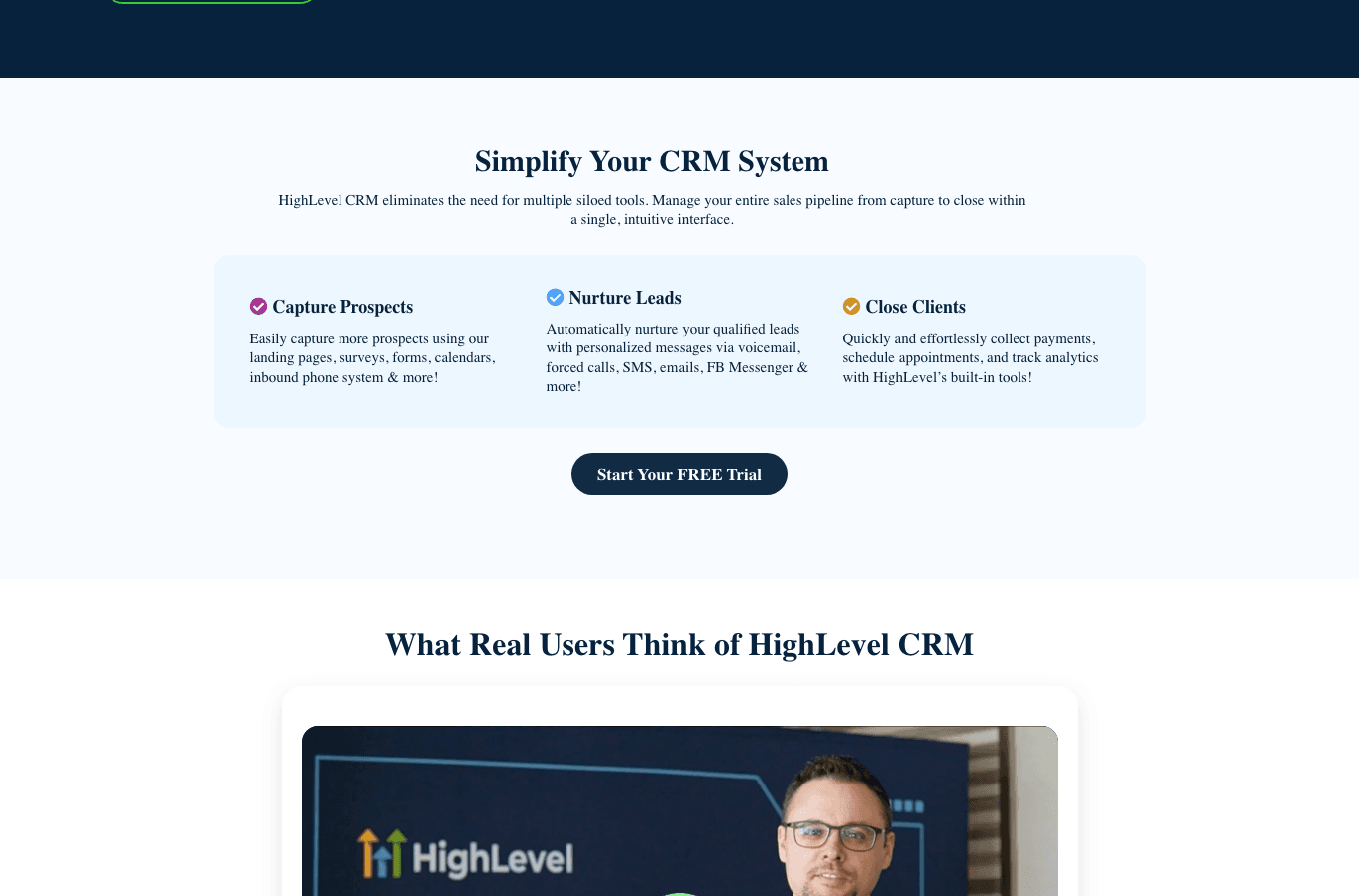
GoHighLevel, officially branded HighLevel, belongs in this guide because some small businesses do not just need a contact database. They need a lead-to-appointment machine: forms, funnels, calendars, SMS, email, calling, unified conversations, payments, reputation management, and reporting around the same pipeline. HighLevel describes its CRM as a way to manage the sales pipeline from capture to close, then lists capture, nurture, and close workflows across forms, calendars, voicemail, calls, SMS, email, Messenger, payments, appointments, and analytics.
That makes GoHighLevel most compelling for appointment-led and service-heavy businesses: local clinics, home services, agencies, consultants, coaches, franchises, and teams where speed-to-lead is more valuable than a prettier contact database. It is also a strong fit when one owner or agency manages multiple client/location sub-accounts.
Do not make it your first CRM just because it has more features. If your immediate problem is forgetting follow-ups, a simpler CRM may fix that faster. GoHighLevel makes more sense once you can name the workflows you want to automate: new lead form submitted, missed call captured, appointment booked, review requested, no-show followed up, invoice sent, campaign reported. Official CRM page checked for product positioning and workflow claims: HighLevel CRM.
GoHighLevel Pricing Caveats for Small Businesses
HighLevel public pricing currently shows Starter at $97/month, Unlimited at $297/month, and Agency Pro at $497/month. The pricing page says all plans include unlimited contacts and unlimited users, while Starter includes 3 sub-accounts and higher plans include unlimited sub-accounts. The same page also notes usage-based charges for telecommunications and AI services, including phone numbers, SMS, email, and premium AI usage.
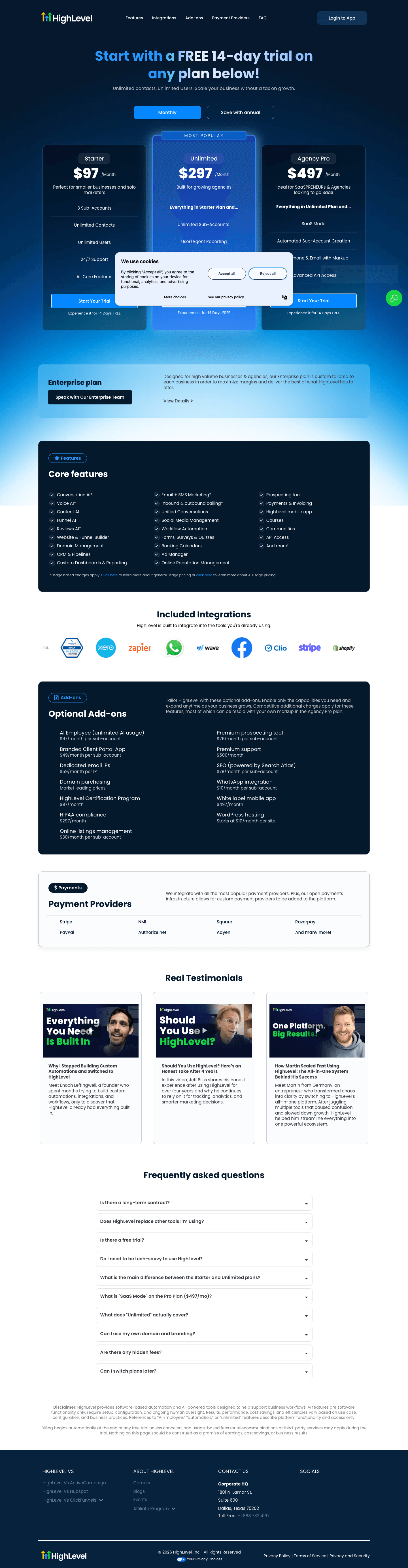
That means the correct comparison is not just GoHighLevel vs a $15 or $20 CRM. It is GoHighLevel vs the stack it might replace: CRM, calendar booking, funnel builder, SMS provider, email tool, review management, forms, simple automations, and reporting. If it replaces four tools and captures more leads, the price can make sense. If it replaces a spreadsheet and a reminder app, it probably does not.
Before buying, model the first 90 days: base plan, phone numbers, SMS/email usage, AI usage if relevant, setup time, data migration, templates, deliverability work, and whether anyone will own the system weekly. The monthly plan is only one line of the operating cost. Official pricing page checked for plans, included limits, and usage-based fees: HighLevel pricing. Official help article checked for billing, wallets, usage, and rebilling context: HighLevel pricing and rebilling guide.
Which CRM Should You Choose?
Match the CRM to the workflow that actually creates revenue.
| Your situation | Best short answer | Why |
|---|---|---|
| You are moving from spreadsheets | HubSpot CRM or Less Annoying CRM | Both reduce friction and help owners build the CRM habit before adding complexity |
| You have reps and a defined sales process | Pipedrive | Sales stages, activities, reminders, and pipeline visibility are the core job |
| You need budget-friendly customization | Zoho CRM | It gives small teams more room to adapt fields, workflows, and integrations |
| You sell appointments or services from web leads | GoHighLevel | Lead capture, calendars, SMS/email follow-up, and pipeline workflows live close together |
| You manage multiple clients, brands, or locations | GoHighLevel or Zoho CRM | Choose GoHighLevel for sub-accounts and marketing operations; choose Zoho for internal CRM customization |
| You want the least admin overhead | Less Annoying CRM | The product and pricing are intentionally simple |
Owner rule
If nobody can define the pipeline stages, no CRM will fix the pipeline. Before a demo, write the stages on one page: new lead, qualified, appointment booked, proposal sent, won, lost. Then ask each vendor how that exact workflow would run.
Implementation Plan
A CRM rollout does not need to be dramatic. Keep the first version boring enough that the team uses it.
- Pick one owner. Someone must be responsible for fields, stages, duplicate cleanup, and weekly hygiene.
- Import only usable data. Bad contacts and mystery columns make a new CRM feel broken on day one.
- Create five to seven pipeline stages. If every deal needs a paragraph of explanation, the stage names are too vague.
- Define the next action rule. Every active deal should have an owner, a next step, and a date.
- Connect the minimum tools. Start with email/calendar sync, forms, and lead sources before adding advanced automations.
- Review weekly for 30 minutes. Check stale deals, no-next-step deals, duplicate contacts, and missed follow-ups.
- Automate only proven repetition. Do not automate a broken process; it just fails faster.
For GoHighLevel specifically, build one lead-source workflow first. For example: web form submitted, contact created, SMS confirmation sent, appointment link offered, missed appointment follow-up triggered, review request sent after completion. Once one path works, duplicate it carefully.
Final Recommendation
For most small businesses, the best CRM choice is not the one with the longest feature list. It is the one your team will update every day without negotiation.
Start with HubSpot CRM if you need a free, polished first CRM. Choose Pipedrive if your business is sales-pipeline driven. Choose Zoho CRM if you need customization and value. Choose Less Annoying CRM if simplicity is the point. Choose GoHighLevel if the CRM is part of a wider lead follow-up and service delivery system, especially when calendars, SMS/email, funnels, reviews, and sub-accounts matter.
If your small business is really an agency or client-service operation, also read our related guide: Best CRM for Agency Owners.
FAQ
What is the best CRM for small business?
HubSpot CRM is the best first CRM for many small businesses because it is approachable and free to start. Pipedrive is better for sales pipelines, Zoho CRM for customization, Less Annoying CRM for simplicity, and GoHighLevel for businesses that need CRM plus lead capture, booking, messaging, and automation.
Is GoHighLevel a good CRM for small businesses?
Yes, but only for the right kind of small business. GoHighLevel is strongest when lead capture, fast follow-up, appointments, SMS/email, funnels, and review workflows matter. It is overkill if you only need basic contacts and deal tracking.
What is the cheapest CRM for a small business?
The cheapest useful option may be a free CRM such as HubSpot or Zoho CRM, depending on your user count and feature needs. Among paid simple CRMs, Less Annoying CRM is easy to budget because it lists a single public $15/user/month price.
Should a small business use a free CRM?
A free CRM is a good start if it helps you centralize contacts, deals, tasks, and follow-ups. Upgrade only when you can name the paid feature that will save time or create revenue, such as automation, reporting, sequences, or additional seats.
How much should a small business pay for CRM?
For a simple CRM, expect anything from free to roughly the cost of a modest per-seat SaaS tool. For an all-in-one platform such as GoHighLevel, compare the platform cost against the separate tools it replaces and include usage-based messaging, email, AI, and setup time.
What CRM should a solo owner choose?
If you want the fastest path from messy contacts to organized follow-up, start with HubSpot CRM or Less Annoying CRM. Choose GoHighLevel only if you are also running lead funnels, appointment booking, SMS/email nurture, reviews, or multiple client/location accounts.