


 12 min read
Quick Verdict
If you want the closest visual Zapier replacement, start with Make. If you want control, self-hosting, and technical workflow depth, choose n8n. If your real automation problem lives in code, repositories, CI, release notes, tests, and internal scripts, Claude Code is the sharper tool, but it is not a no-code Zapier clone.
That distinction is the whole article. Zapier still wins for broad app coverage, non-technical setup, and teams that need a managed automation layer across 9,000+ app connections. The best Zapier alternatives are better only when they solve a specific switching reason: lower visual automation cost, deeper workflow control, or developer-native automation.
Zapier Alternatives Matrix
Use this table as the first-pass filter before rebuilding workflows.
| Alternative | Best for | Starting price or caveat | Free plan or trial | Standout reason to switch | Main tradeoff |
|---|---|---|---|---|---|
| Make | Visual no-code teams that want cheaper, flexible scenarios | Free plan; Core starts at $9/mo for 10k credits when billed annually | Free plan with 1,000 credits/mo | Visual scenario builder, routers, filters, 3,000+ apps, and granular credit tiers | Still hosted SaaS; credits, scenario limits, and advanced governance need review |
| n8n | Technical teams that want self-hosting, developer control, and AI workflow depth | Starter from 20 EUR/mo billed annually; Community Edition can be self-hosted | Cloud trial; self-hosted Community Edition | Execution-based pricing, unlimited steps per execution, code nodes, API/CLI control, self-hosting path | Less plug-and-play for non-technical teams; app catalog is smaller than Zapier |
| Claude Code | Developers automating codebase, CI, docs, release, and repo work | Included in Claude Pro from $17/mo annual or $20 monthly; Max from $100/mo | No normal no-code automation free plan | Agentic coding tool that can edit files, run commands, work in CI, and use MCP | Not a visual app-to-app automation platform; needs developer supervision and permissions |
Pricing and plan details were checked against official public pages on May 20, 2026. Pricing changes often, especially for usage-based automation plans.
Why Teams Look for Zapier Alternatives
Zapier is still one of the easiest ways to connect SaaS tools. The switching pressure usually appears later, when a team moves from a few tidy two-step Zaps to messy real operations: branching workflows, enrichment, webhooks, retries, AI calls, governance, and usage spikes. Official source for Zapier task tiers, Free, Professional, Team, Agents, and Chatbots pricing: Zapier pricing. Official source for Zapier app connection counts and platform positioning: Zapier app directory.
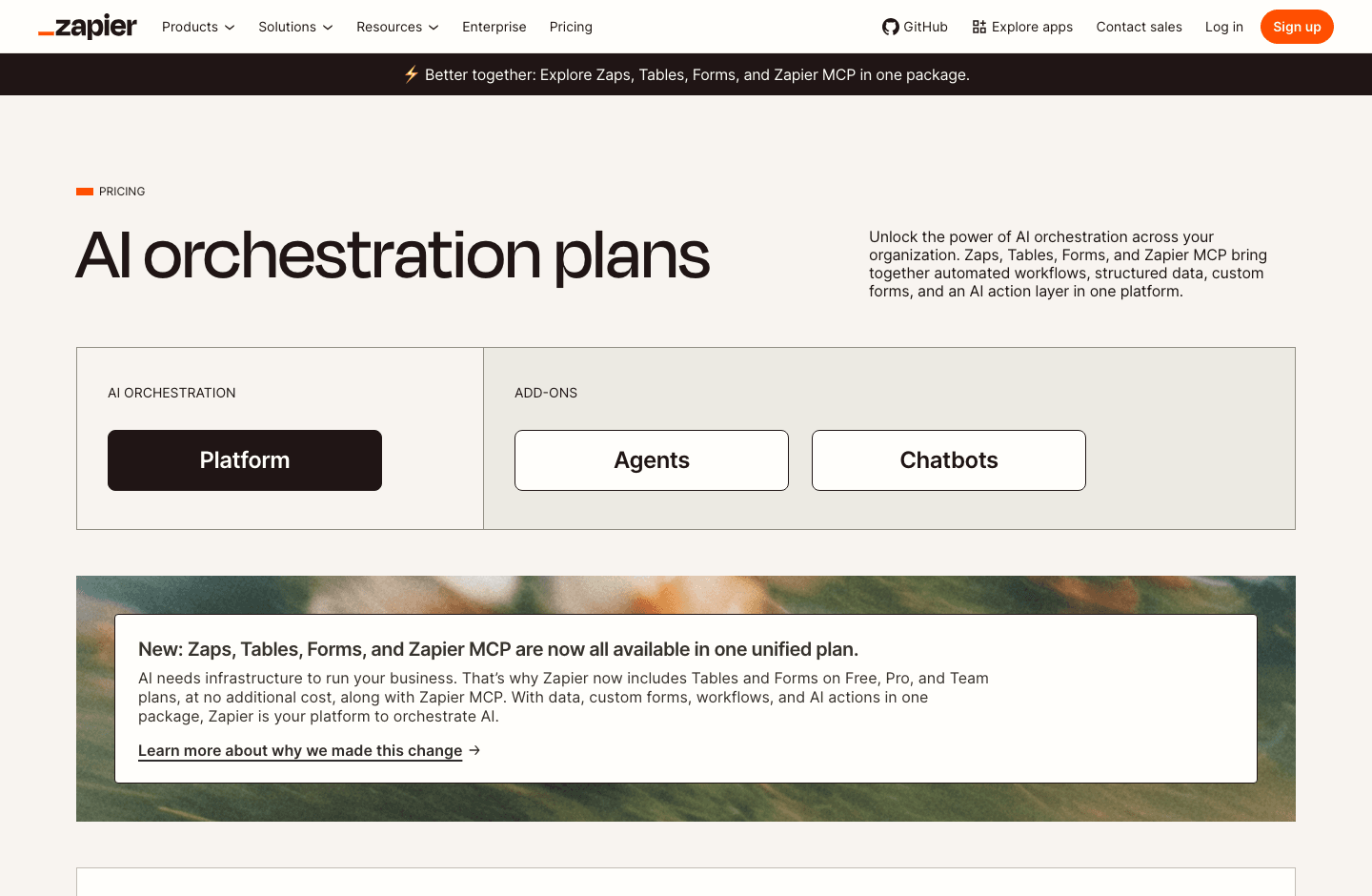
- Task economics: Zapier prices core automation around task tiers. If one workflow expands into many actions, cost can become part of the design conversation.
- Visual complexity: Zapier is approachable, but large Zaps can become hard to reason about when a workflow has many paths, filters, and formatter steps.
- Technical control: Some teams want self-hosting, Git-based versioning, local network access, code nodes, or deeper API control.
- AI automation shape: Zapier has added Agents, Chatbots, Tables, Forms, MCP, and Copilot, but not every team wants one platform to hold both app automation and agentic work.
- Developer workflows: Pull requests, tests, dependency updates, and release notes are often better handled in a repo-aware agent than in a visual SaaS automation builder.
When Zapier Is Still the Right Choice
Do not switch just because the word alternative is tempting. Zapier is still the right choice when the team building automations is mostly non-technical, the workflows are standard SaaS handoffs, and the most important requirement is having the right connector already available.
Stay with Zapier if your current automations are reliable, your monthly task volume is predictable, and your team benefits from one managed place for Zaps, Tables, Forms, AI actions, and app connections. A cheaper tool is not cheaper if you replace clean automation with a part-time debugging hobby.
How We Evaluated These Zapier Alternatives
This ToolBlueprints shortlist is intentionally narrow because the requested comparison is n8n, Claude Code, and Make. The DataForSEO snapshot for "zapier alternatives" on May 20, 2026 showed broad roundups from Gumloop, Outfunnel, Lindy, Tadabase, and several Reddit discussions. Most pages list many tools. This article goes deeper on three different switching paths instead: visual SaaS automation, technical workflow automation, and developer-agent automation.
- Replacement fit: how much of a typical Zapier workflow the alternative can realistically replace.
- Cost shape: whether usage is counted by tasks, credits, operations, workflow executions, seats, or subscriptions.
- Workflow depth: branching, filters, scheduling, webhooks, code, logs, retries, and debugging visibility.
- Control and governance: self-hosting, security, admin controls, data location, and auditability.
- Migration difficulty: how hard it is to rebuild existing Zaps, reconnect apps, and monitor failures during the switch.
1. Make - Best Visual Zapier Alternative for No-Code Scenarios
Make is the easiest recommendation when a team likes visual automation but wants more flexible scenario design than a long Zap chain. Its router-and-module style helps people see the flow of data, branches, filters, and errors. For many marketing, sales ops, finance, and customer operations workflows, Make feels like moving from a checklist to a map.
Best for Make
Teams that want a hosted, visual automation builder for multi-step SaaS workflows, especially when routing, filters, and scenario layout matter.
Not for Make
Teams that need self-hosting, Git-style workflow control, or a code-first automation layer. Make is visual-first and cloud-hosted.
Why Switch to Make
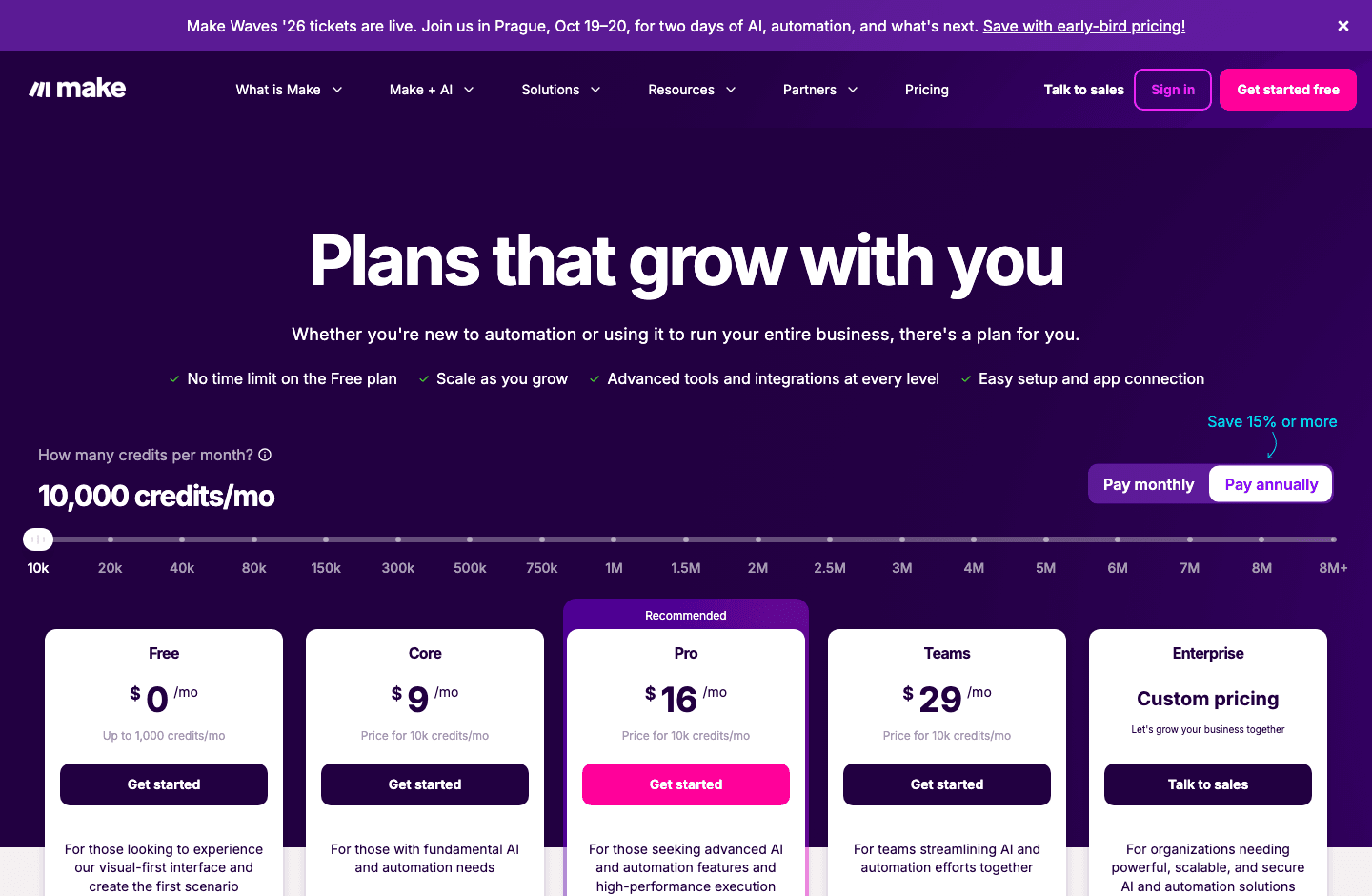
Make is compelling when Zapier costs feel high for multi-step flows or when builders want to see the entire scenario on a canvas. On the official pricing page, Make lists a Free plan with 1,000 credits per month, Core at $9 per month for 10k credits, Pro at $16, and Teams at $29 when paid annually. Credits are not identical to Zapier tasks, so compare your exact workflow step by step before declaring victory.
Where Zapier Still Wins Against Make
Zapier has the broader app ecosystem and tends to be easier for a non-technical teammate to pick up for simple trigger-action workflows. If you need a common app connector quickly, Zapier is often the safer default.
Make Migration Note
Start by moving one workflow with clear inputs and outputs. Rebuild the route in Make, compare run logs against the Zap for a week, then migrate higher-volume automations only after credit usage is predictable. Official source for Make credits, plans, and automation feature limits: Make pricing. Official source for Make visual automation positioning: Make product overview.
2. n8n - Best Zapier Alternative for Technical Teams and Self-Hosting
n8n is the strongest choice when the switching reason is control. It is built for technical teams that want workflows with code, webhooks, API calls, custom nodes, local infrastructure, and more transparent execution logic. It can be no-code enough for operations builders, but it rewards teams that can think like engineers.
Best for n8n
Automation engineers, AI ops teams, internal tooling teams, and startups that want a workflow platform they can self-host or extend.
Not for n8n
Non-technical teams that want the largest possible app directory and the fewest setup decisions. n8n gives you more control, which also means more responsibility.
Why Switch to n8n
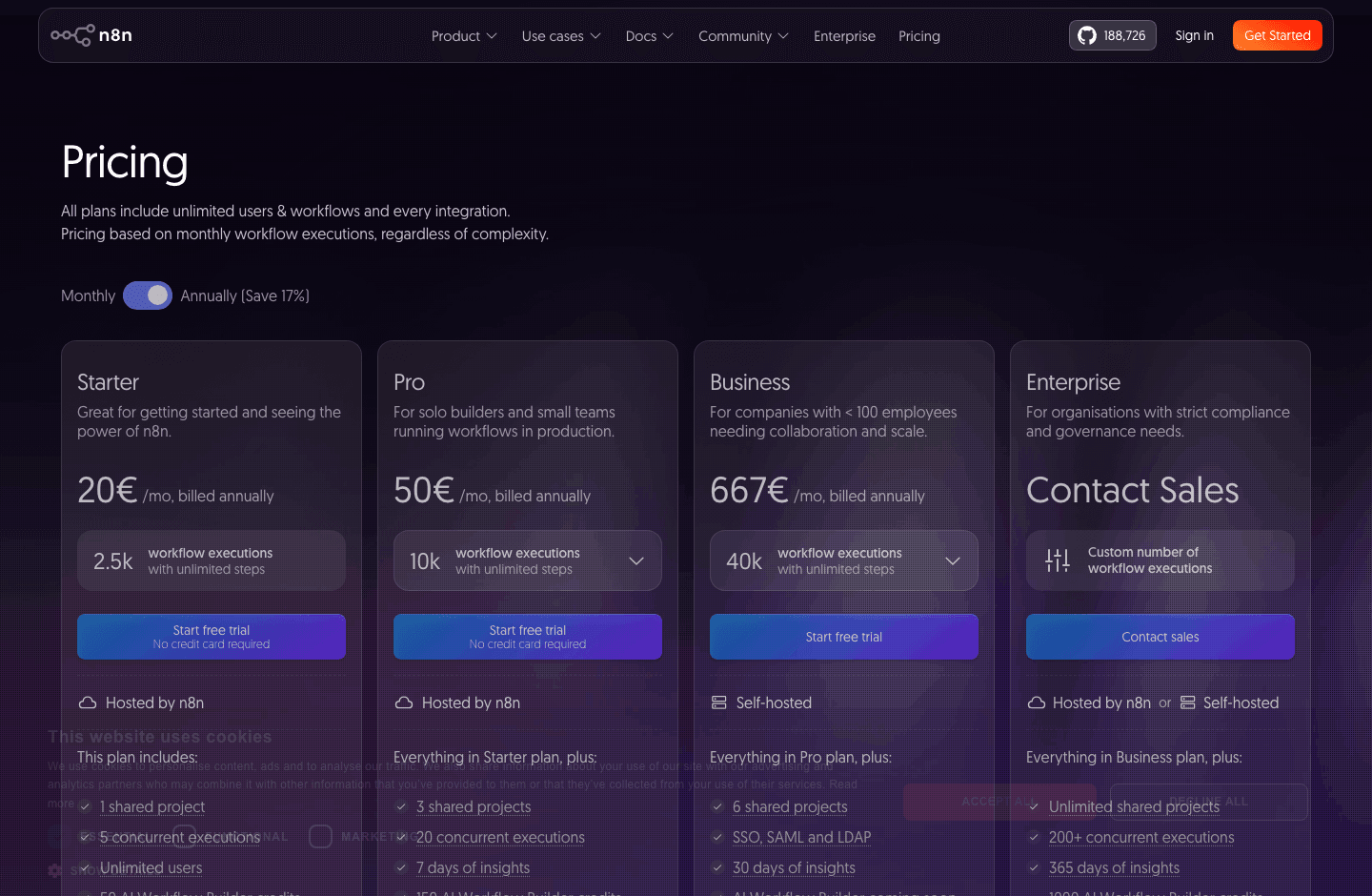
n8n prices cloud plans around workflow executions rather than counting every individual step as a separate task. Its official pricing page says all plans include unlimited users, unlimited workflows, and every integration, with Starter from 20 EUR per month billed annually for 2.5k executions and Pro from 50 EUR per month for 10k executions. The self-hosted Community Edition is a major reason technical teams evaluate it.
Where Zapier Still Wins Against n8n
Zapier is easier for casual builders and has more packaged app connections. If your team does not want to maintain credentials, nodes, hosting, backups, or error handling conventions, Zapier may be worth the premium.
n8n Migration Note
Inventory your Zaps by trigger, action count, schedule, data sensitivity, and failure impact. Move internal or high-volume workflows first if they benefit from execution-based pricing or self-hosting. Keep customer-facing automations parallel-run until logs match for at least one full business cycle. Official source for n8n execution-based pricing, self-hosting notes, and plan limits: n8n pricing.
3. Claude Code - Best Zapier Alternative for Developer Automation
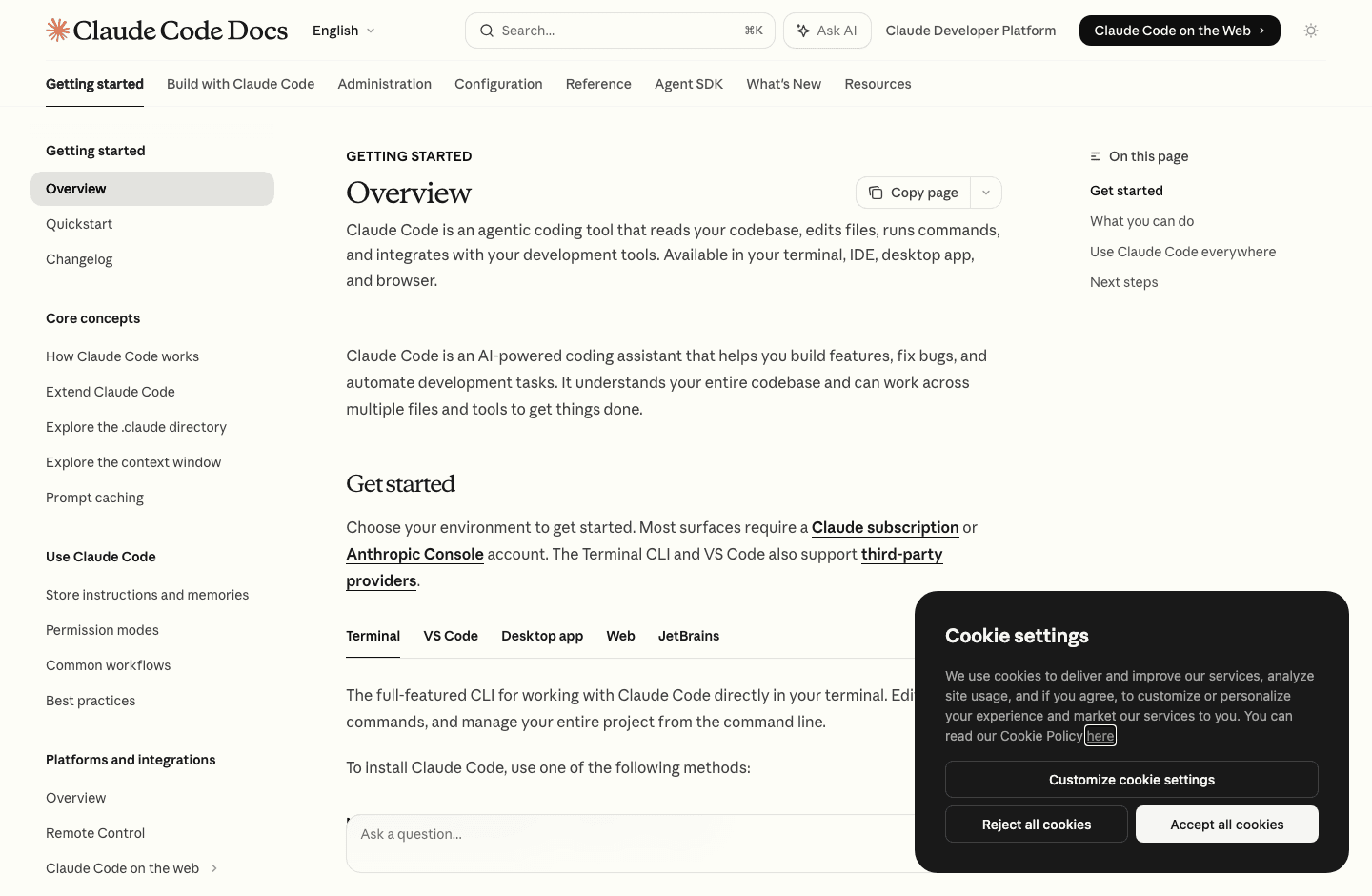
Claude Code belongs in this article only if you define automation broadly. It is not a drag-and-drop SaaS connector like Zapier, Make, or n8n. It is an agentic coding tool that reads a codebase, edits files, runs commands, works with git, integrates with CI/CD, and can connect tools through MCP. For developer operations, that can replace an entire class of brittle automation that should never have lived in Zapier in the first place.
Best for Claude Code
Teams automating pull request review, issue triage, test generation, lint fixes, dependency updates, release notes, documentation sync, repo maintenance, and scripted internal workflows.
Not for Claude Code
No-code business users who need to connect HubSpot, Slack, Gmail, Airtable, Stripe, or Shopify with a visual trigger-action builder. Claude Code can orchestrate tools, but it is developer-native.
Why Switch to Claude Code
Switch to Claude Code when the workflow target is a codebase or command-line environment. The official docs describe Claude Code as an agentic coding tool that reads codebases, edits files, runs commands, and integrates with development tools. It can also be used in CI, scheduled routines, GitHub Actions, Slack workflows, and MCP-connected toolchains.
Pricing Caveat
Claude Code is included in paid Claude plans such as Pro and Team, while Max and Enterprise serve heavier usage. Anthropic lists Pro at $17 per month with annual billing or $20 monthly, Max from $100 per month, Team standard seats at $20 per seat per month when billed annually, and Enterprise as seat price plus usage at API rates. Usage limits and plan availability can change, so verify before budgeting automation capacity.
Where Zapier Still Wins Against Claude Code
Zapier is still better for deterministic app-to-app workflows that a business user can own. Claude Code is powerful, but it requires permissions, review discipline, and clear boundaries. Do not use an agent when a simple Zap would be more predictable.
Claude Code Migration Note
Convert code-adjacent Zaps into scripts, GitHub Actions, CLI commands, or MCP tools. Then use Claude Code to operate those workflows with prompts, schedules, or CI triggers. Keep Zapier, Make, or n8n for non-code SaaS handoffs. Official source for Claude Code capabilities, surfaces, CLI usage, MCP, CI, and scheduling: Claude Code overview. Official source for Claude Pro, Max, Team, and Enterprise pricing caveats: Claude pricing.
Which Zapier Alternative Should You Choose?
Match the tool to the switching reason, not to a generic score.
| Switching reason | Best pick | Why |
|---|---|---|
| You want a visual hosted builder and cheaper entry pricing | Make | It keeps the no-code automation mental model while giving scenarios a clearer visual canvas. |
| You want self-hosting, code nodes, workflow logs, and technical control | n8n | It is built for technical automation teams and prices around whole workflow executions. |
| You want to automate code, tests, PRs, docs, and release work | Claude Code | It works inside the developer environment where those tasks actually live. |
| You want the biggest connector catalog and easiest business-user setup | Stay with Zapier | The breadth of app coverage and managed UX are still the main reasons to keep it. |
The right answer can also be hybrid: Zapier or Make for SaaS handoffs, n8n for technical workflows, and Claude Code for repo automation.
Zapier Migration Checklist
- Export a list of active Zaps, owners, triggers, actions, schedules, task volume, and business impact.
- Label each workflow as visual SaaS, technical integration, AI workflow, or developer automation before choosing a replacement.
- Rebuild one low-risk workflow first and compare logs, execution counts, and error behavior.
- Keep the Zap and replacement workflow running in parallel until outputs match consistently.
- Move credentials deliberately. Do not copy old API keys into a new tool without reviewing access scope.
- Document failure handling, retry policy, owner, and monitoring before turning off the old Zap.
- Re-check pricing after a real usage cycle, not after a demo workflow with three friendly test records.
FAQs
What is the best Zapier alternative overall?
For most no-code teams, Make is the closest overall Zapier alternative because it keeps a hosted visual workflow model. For technical teams, n8n is often stronger. For developers, Claude Code solves a different automation problem and should be evaluated separately.
Is n8n cheaper than Zapier?
It can be, especially for workflows with many steps, because n8n cloud pricing is based on workflow executions rather than per-step task counting. But the comparison depends on execution volume, hosting choice, required plan features, and the time your team spends maintaining workflows.
Is Claude Code really a Zapier competitor?
Not in the normal no-code automation sense. Claude Code is an alternative only for developer automation: code changes, PR work, CI tasks, scripts, MCP tools, and repository operations. It should not be used as a replacement for simple app-to-app business workflows.
Should I replace all Zapier workflows at once?
No. Move one workflow at a time, starting with a clear switching reason. Bulk migrations create false confidence during setup and expensive surprises when edge cases arrive.
Final Recommendation
Choose Make if the team wants a visual Zapier replacement. Choose n8n if the team wants technical control and can own the setup. Choose Claude Code if the workflows are really developer tasks in disguise. Keep Zapier when app coverage, simplicity, and business-user ownership matter more than shaving usage cost or gaining infrastructure control.